


Should I Continue Working With These Or Scrap Them?
Decorating By Angfastic Updated 9 Jun 2011 , 7:18am by Angfastic
I found these Disney Cars sand molds in Dollar Tree and decided I'd make my own gumpaste figures. They came out ok. I've trouble painting them. This is what I have so far. Should I continue trying to fix them or give up and try something else? Please be honest. Thanks.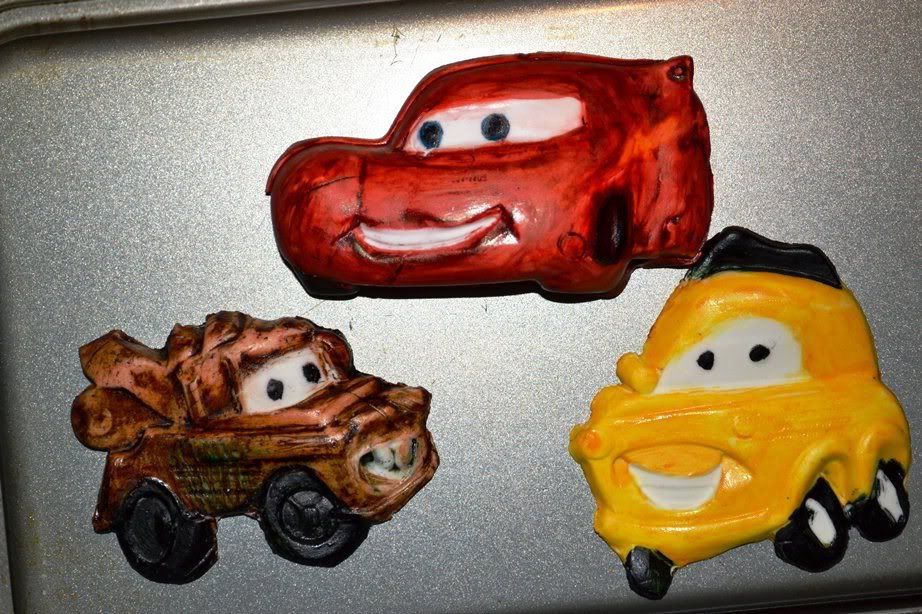

If you want a photo to show up in your post, here's how:
First upload the photo into an online photo site like Photobucket (getting a photobucket account is easy and FREE) then just copy the photo's image code (IMG Code) from photobucket and paste it into your post. Then when you hit 'submit comment' the photo will display in the thread. Easy.
Photobucket is here: http://photobucket.com/
I'm pretty sure you can also use Flickr like this too - just look for the image code (IMG code) and copy and paste it.

if your not happy with it then I would scrap it, I have done that many times.


McQueen was worse than that. Really dark, but I was able to take a lot of the color of using lemon juice. I redid it with a red edible marker. The cake isn't due until Sat. so I think I will color some gumpaste and redo McQueen. I'll try and work with the other 2. Thanks Sorelle for the suggestion.
If you want a photo to show up in your post, here's how:
First upload the photo into an online photo site like Photobucket (getting a photobucket account is easy and FREE) then just copy the photo's image code (IMG Code) from photobucket and paste it into your post. Then when you hit 'submit comment' the photo will display in the thread. Easy.
Photobucket is here: http://photobucket.com/
I'm pretty sure you can also use Flickr like this too - just look for the image code (IMG code) and copy and paste it.
This has never once worked for me. I've tried Flickr and Photobucket. No luck.
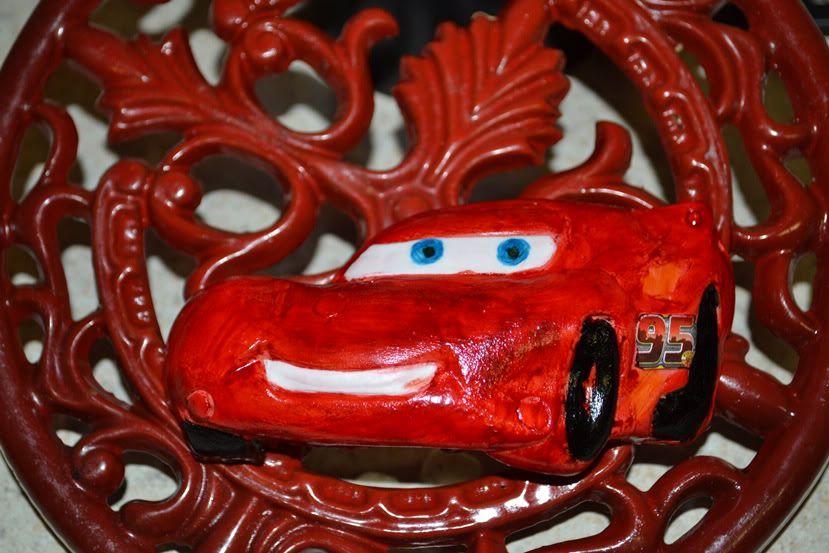
So I colored some gumpaste and redid my McQueen mold. I was so happy when I released it. The color was perfect; however, today it looked bubble gum pink (the picture makes it look darker than what it was). I decided to paint it darker. I mixed lemon juice and red coloring and found a better brush. I was happy after I first painted it, but now not so much. Oh well I tried. It is what it is. 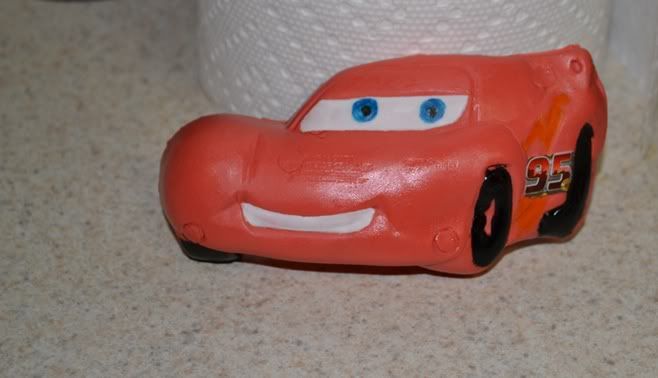
If you want a photo to show up in your post, here's how:
First upload the photo into an online photo site like Photobucket (getting a photobucket account is easy and FREE) then just copy the photo's image code (IMG Code) from photobucket and paste it into your post. Then when you hit 'submit comment' the photo will display in the thread. Easy.
Photobucket is here: http://photobucket.com/
I'm pretty sure you can also use Flickr like this too - just look for the image code (IMG code) and copy and paste it.
This has never once worked for me. I've tried Flickr and Photobucket. No luck.
It should, I use photobucket for that all the time. Make sure you're not clicking on the CC 'Img' (Insert image) button at all. You just want the IMG code for your photo...copy it and paste it into your post, making sure you have a space either side of it (any text or punctuation next to the IMG code not separated by a space will prevent it working.) When you paste the IMG code you will just see the code, until you click on 'submit' and then the photo will display in your post.
Here's a couple pics to show what I mean (hopefully they're clear, I don't know how to do a screen grab so I had to use my camera).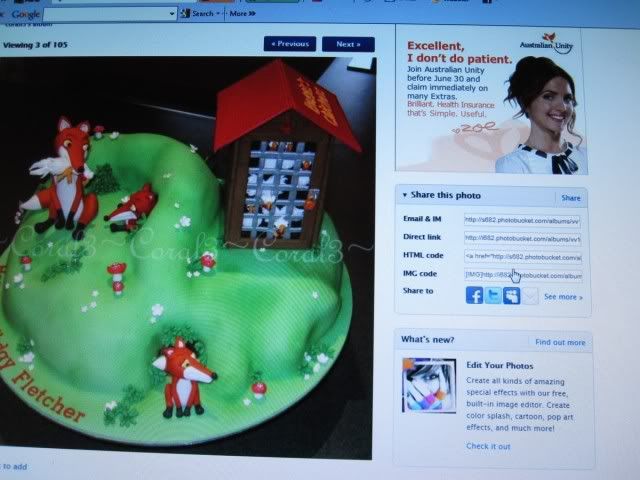
This is in Photobucket. Note the 'Share this photo' box to the right of your photo. You need the 'IMG code' which is the last item on that little list there. To copy the IMG code, just click once on it...the IMG code space will then turn yellow and show 'copied', like you see here: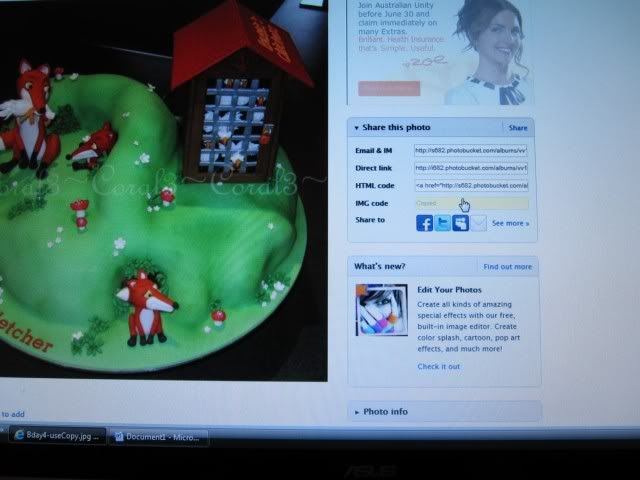
Go back to Cake Central where you're typing your post/reply and on a new line hold down the control button on your keyboard (Ctrl) and press 'V' which will paste it.
Put the IMG code on it's own line without any text or punctuation up against it. Click 'Submit' to post your reply and the photo should then show up in the thread
Does that make any sense? (I'm not great at explaining stuff!)

i think it looked great prior to painting! either way it still looks good, though 
[quote="Angfastic"]So I colored some gumpaste and redid my McQueen mold. I was so happy when I released it. The color was perfect; however, today it looked bubble gum pink (the picture makes it look darker than what it was). I decided to paint it darker. I mixed lemon juice and red coloring and found a better brush. I was happy after I first painted it, but now not so much. Oh well I tried. It is what it is. [quote="Angfastic"]
I think that looks really good! Perhaps you could just tweak the colour in your gumpaste to make it darker/brighter/redder and try that? Another thing you could do to make it redder is to dry brush dry red petal dust onto the red sections before adding the other detailing. That might help you get it brighter (although it wouldn't be car-shiny then, but you could steam them for a few seconds when all finished to ged rid of the dry powdered look)
I know next time to make sure it is the exact color I want and to let the gumpaste sit for a bit to make sure. I probably should have waited until daylight to look at it in natural light before painting... oh well the final version I ended up with doesn't look too bad from a distance  .
.
Thanks all for the suggestions.
Quote by @%username% on %date%
%body%